
Frigade matches HubSpot contacts to Frigade users by email, so each user must have an email associated with them. To associate an email with a User, see the useUser hook or the User API.
Sending Frigade data to Hubspot
When users take action in flows, Frigade sends the data and any corresponding metadata to the matching HubSpot contact. For instance, when a user completes a Survey or a step in a Checklist, the result is recorded as a Note on that contact.1
Create a Hubspot API Token
To get started, you will need to create a Hubspot API token by setting up a Private App in your Hubspot account.
You can do this by navigating to the Settings > Integrations > Private Apps page as seen below: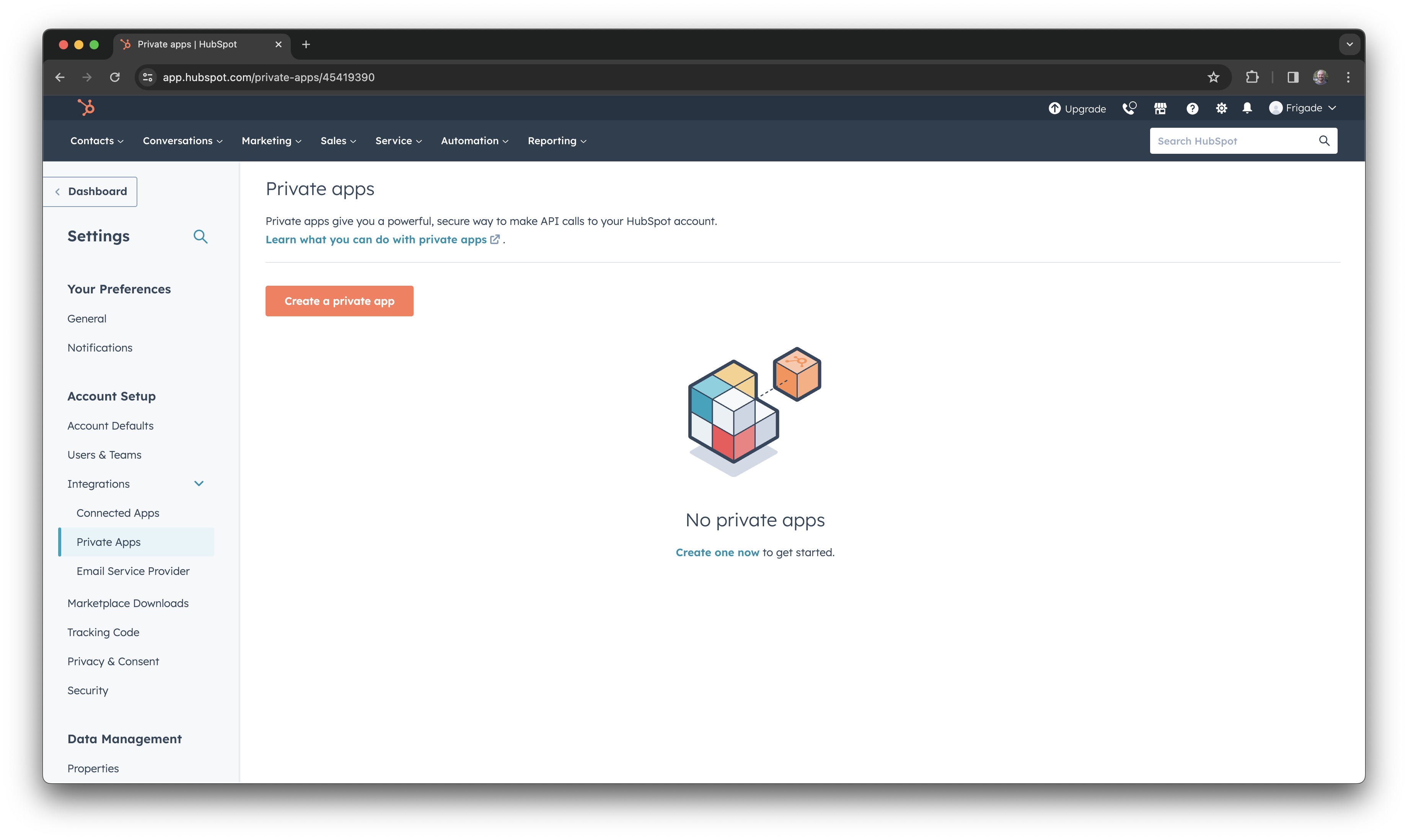
2
Create a new App
Click on the Create a private app button to create a new app. Type in “Frigade” as the app name. Leave description and logo blank.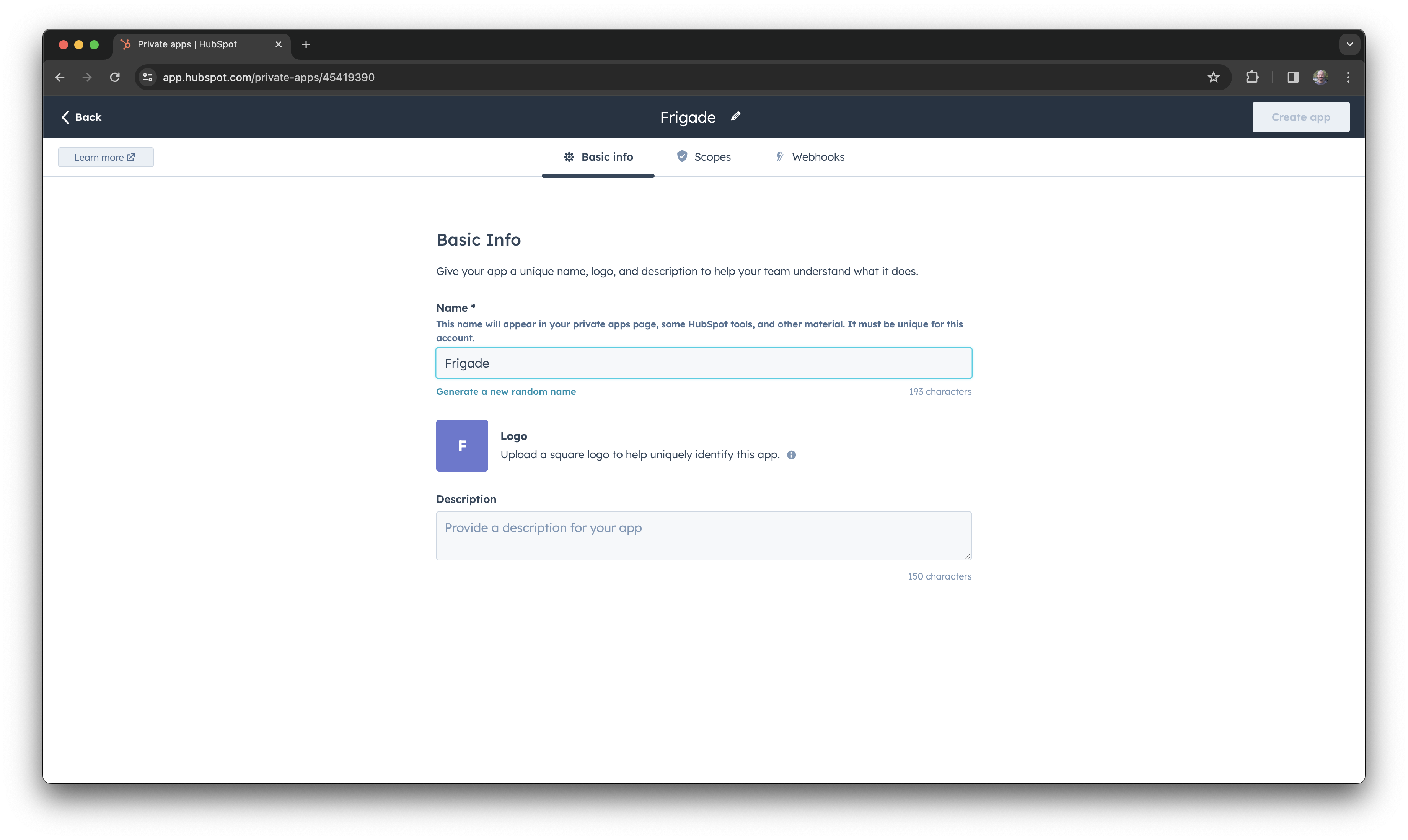
3
Set App Scopes
Click on the Scopes tab and select the scopes which you would like Frigade to have access to. As a minimum, 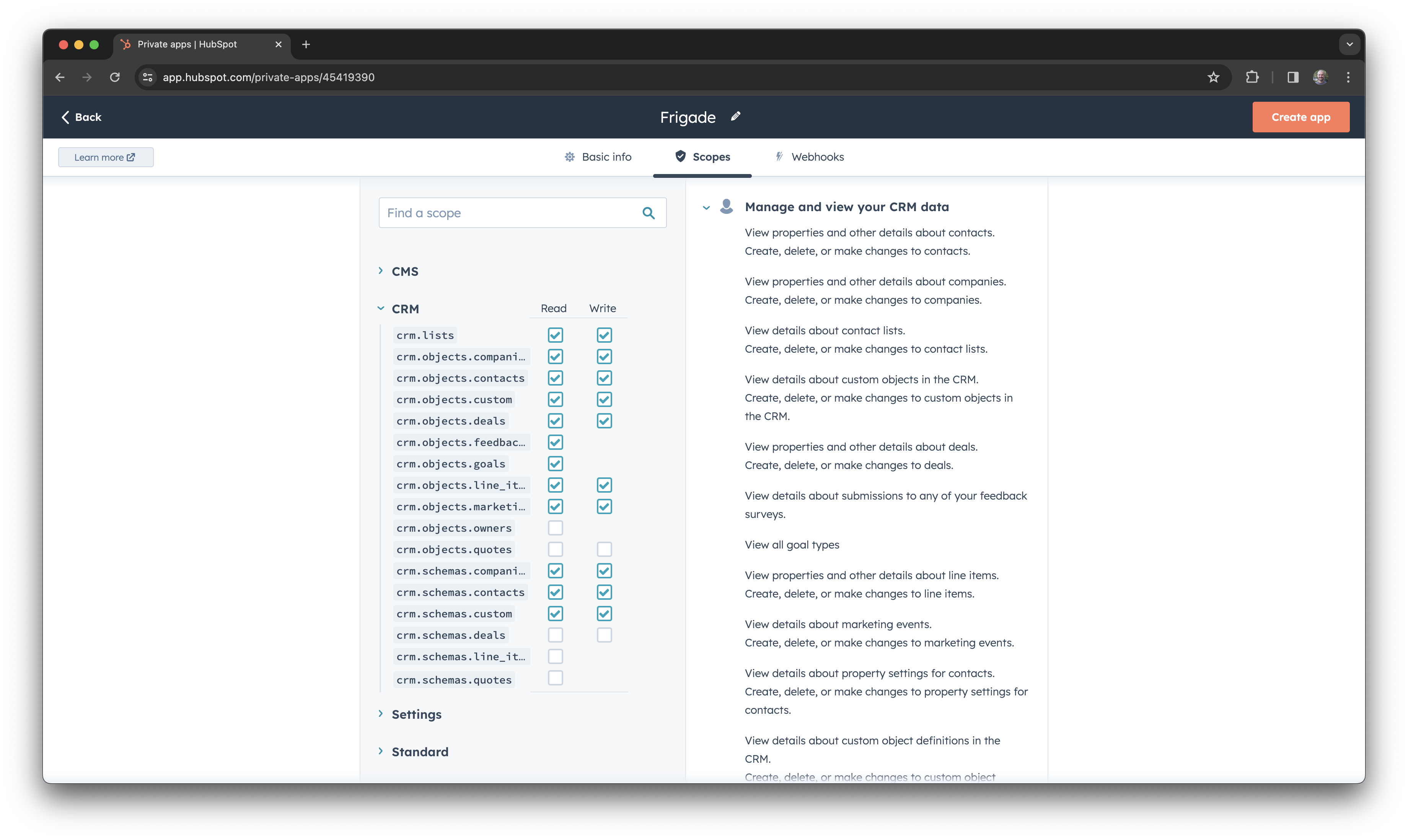
crm.objects.contacts (read and write) is required. To also pull contact and company properties into Frigade, additionally enable crm.objects.companies (read) and crm.schemas.contacts / crm.schemas.companies (read).4
Get API Key
Once the app is created, you will be presented with the API token. Copy this token.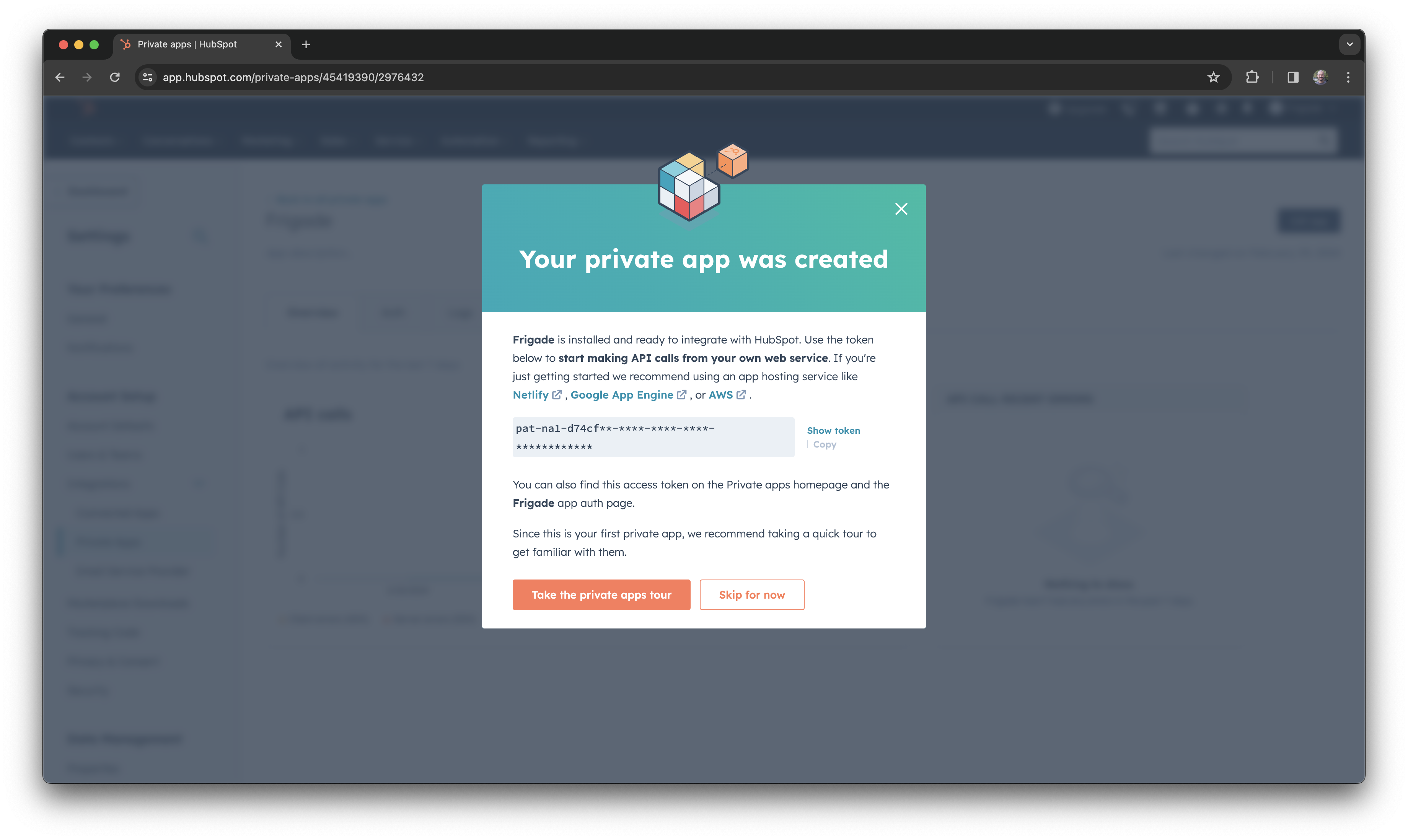
5
Add Token to Frigade
In the Frigade dashboard, navigate to the Integrations page and click on the Hubspot integration. Paste the API token into the input field and click Save.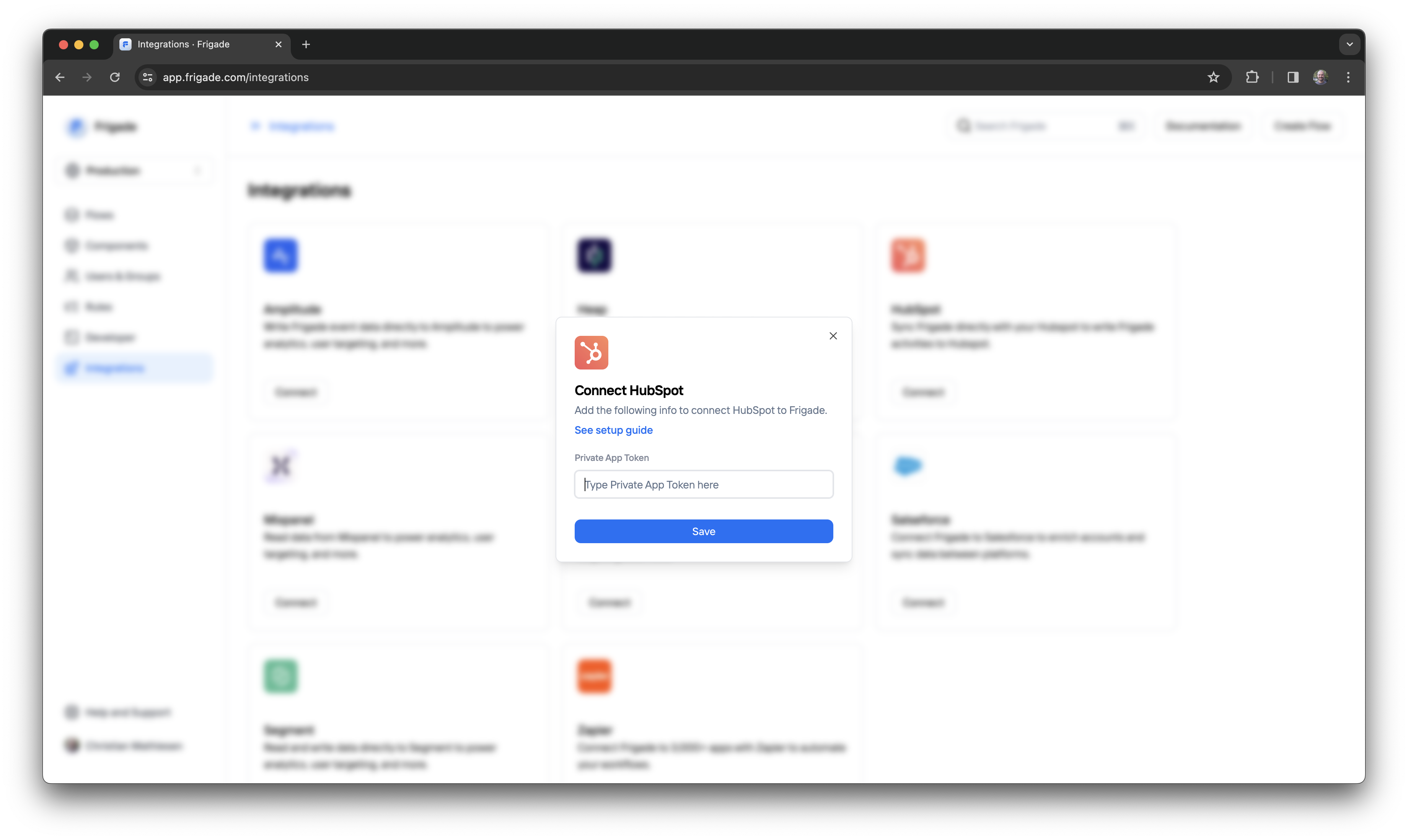
As soon as you save the token, Frigade will start sending data to Hubspot.
6
Verify Data in Hubspot
That’s it! Data from Frigade will now start streaming to Hubspot in real time.You can test the integration by completing a Flow and checking the data in Hubspot for the corresponding contact.
All data is added as Notes to the contact in Hubspot as seen below: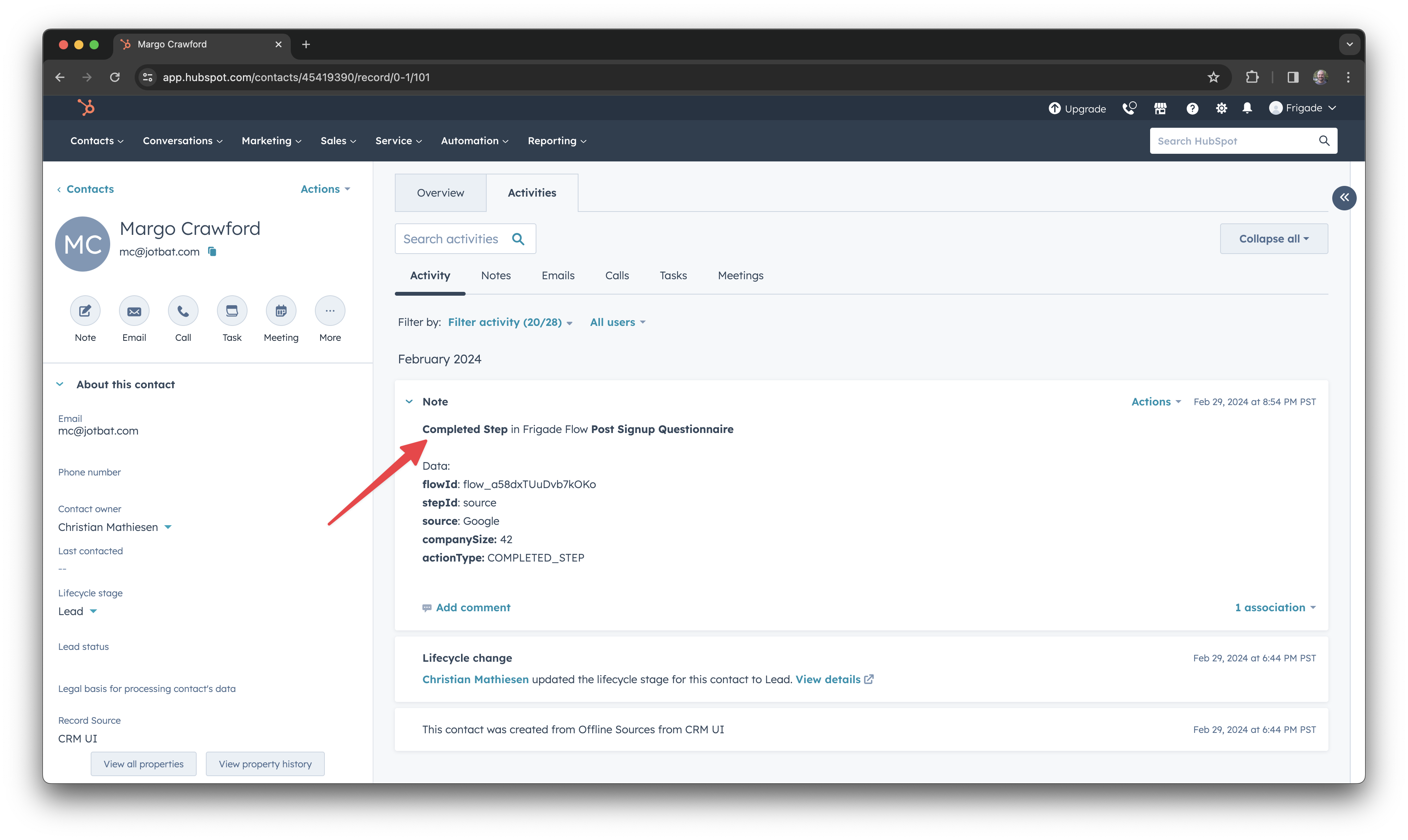
Syncing Hubspot data into Frigade
Once the integration is connected, you can also pull HubSpot data into Frigade. Contact properties become user properties and the contact’s primary company’s properties become user group properties — making everything HubSpot knows about a user available for targeting, personalization, and segmentation in your flows.What gets synced
- Contact properties → user properties. Every non-internal property on the matching HubSpot contact (standard fields like
lifecyclestage,jobtitle,company,city, as well as your custom fields likefree_trial_userorplan_tier) is mirrored onto the Frigade user. - Company properties → user group properties. Properties on the contact’s primary associated company (e.g.
industry,numberofemployees,name,domain) are mirrored onto a Frigade user group representing that company. The group’s foreign ID ishubspot_<companyId>. - HubSpot’s internal bookkeeping fields are excluded. Anything prefixed with
hs_orhubspot(object IDs, analytics counters, etc.) stays in HubSpot and is not copied over.
Enabling the sync
In the Frigade dashboard, open the HubSpot integration and turn on:- Sync contact properties to mirror contact fields as user properties.
- Sync company properties to mirror company fields as user group properties.
When the sync happens
The sync is event-driven, not a one-time historical import:- Frigade pulls the latest HubSpot data for a user the next time that user is identified or their properties are updated in Frigade — typically the next time they open your app.
- Properties are refreshed periodically as users return, so updates made in HubSpot (a contact’s
lifecyclestagemoving fromleadtocustomer, a custom flag flipping totrue) automatically propagate into Frigade without any manual action. - There is no historical backfill. Users who have never been identified in Frigade won’t be created from HubSpot data — they need to come through an SDK call or the User API at least once.
If you want to seed Frigade with users who already exist in HubSpot, identify them via the User API or the useUser hook. On their next session, their HubSpot properties will be pulled in automatically.
Using synced properties
Once synced, HubSpot data is available everywhere user and group properties are:- Targeting — show a flow only to users where
user.property('lifecyclestage') == 'customer', or to users on a HubSpot company withgroup.property('industry') == 'Healthcare'. - Personalization — reference fields like
{{user.firstname}}or{{user.jobtitle}}directly in flow content. - Segmentation — filter the user list in the dashboard by any HubSpot-sourced property.