completionCriteria property on a step.
Marking Steps completed via the SDK
Call thecomplete method from the useFlow hook in the React SDK or via the JS SDK. In the example below, we’re calling the complete method from the React SDK:
Marking Steps complete via Targeting
Use thecompletionCriteria property on a step to automatically mark the step as completed when a user meets the criteria. See Targeting for more examples of how to write targeting queries.
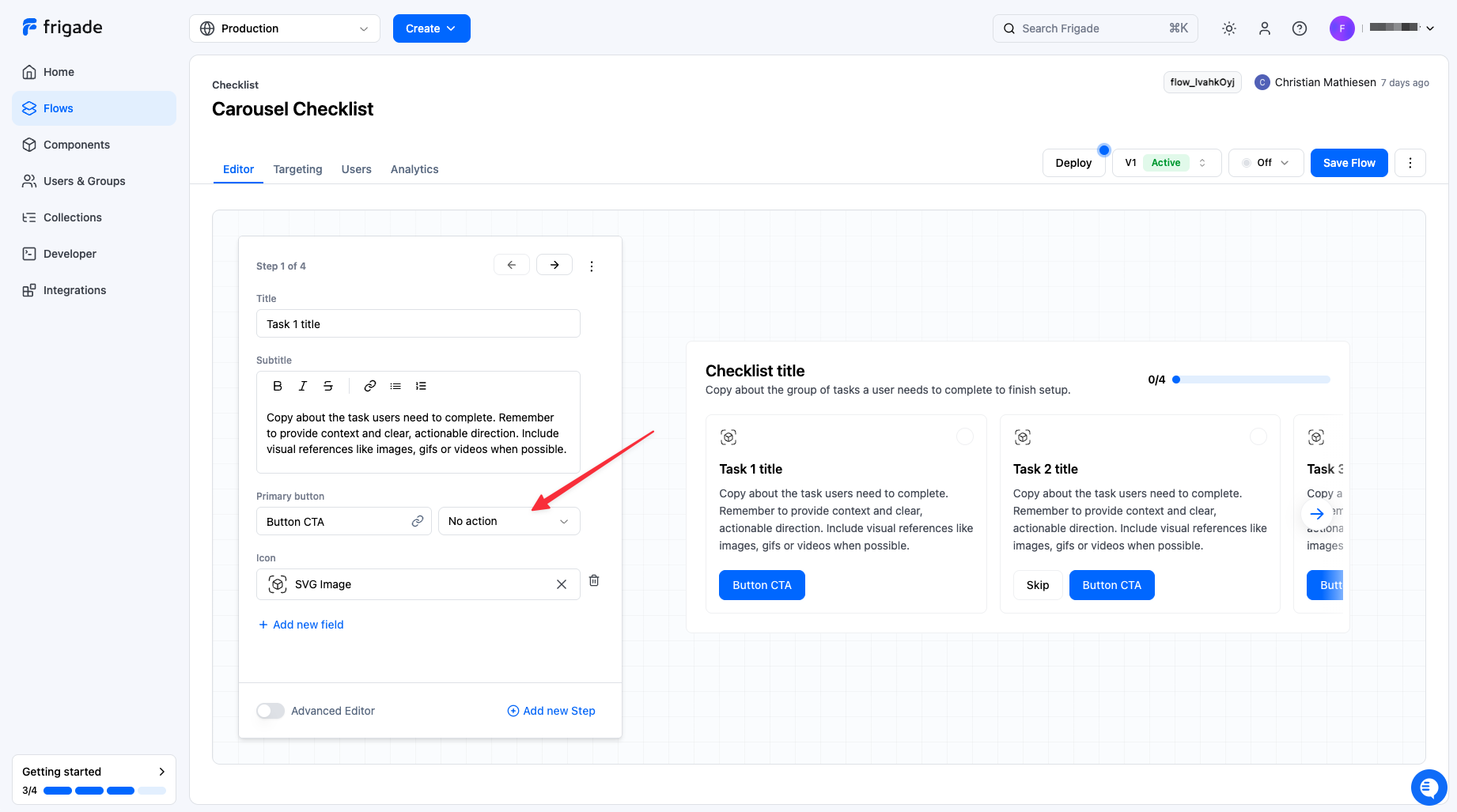
Preventing Steps from completing on primary button click
In built-in Flow components, a step is marked as complete when the primary button is clicked. To prevent this, select No action in the editor under the Primary button property: