
Creating a webhook
To add a new webhook, open the Developer page from the left sidebar, pick the Webhooks tab and click the “New webhook” button.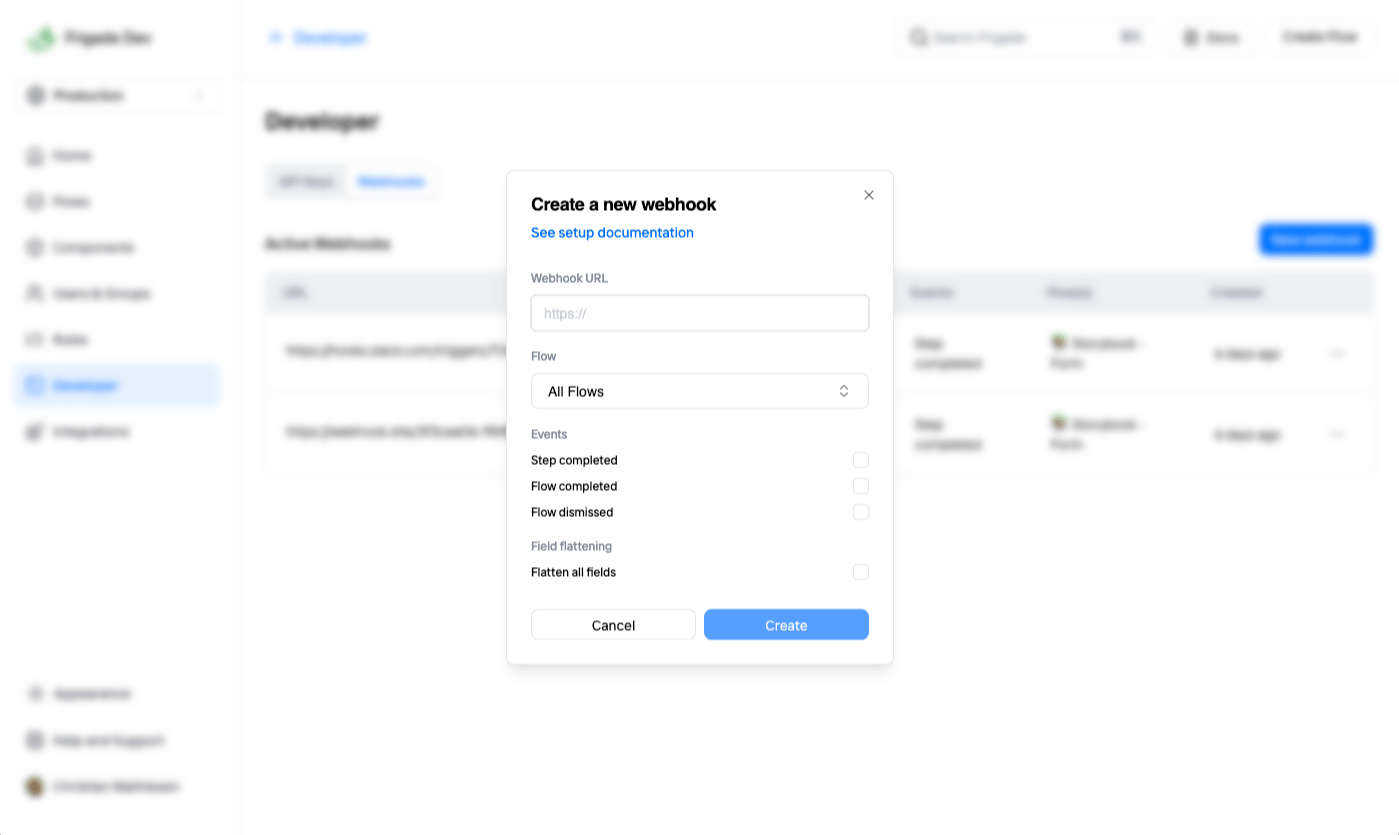
Supported events
The following events are currently supported:When a user starts a Flow
When a user completes a Flow
When a user dismisses/skips a Flow
When a user starts a Step in a Flow
When a user completes a Step in a Flow
Webhook payload
The payload of the message includes the type of the event in thetype property.
The data property contains the actual payload sent by Frigade.
The payload can be a different object depending on the event type.
Schema
flowResponse.completedFlow event for the NPS Survey component with flattened data fields:
Verifying webhooks
When you create a webhook, Frigade will generate a secret key for you. You can use this key to verify that the webhook is coming from Frigade.If you don’t verify the request, your app will be susceptible to a number of attacks since your webhook endpoint is open to the public.
data field using the secret key as the key and compare it to the value in the X-Webhook-Signature header. The signature is base64 encoded.
Note that when JSON-encoding the data field it needs to match the order of the keys in the payload and not contain any whitespace between the keys and values.
For example, in Node.js, you can do it like this:
Verifying timestamps
Thetime field in the payload is the time when the event occurred. You can use this field to verify that the request is not a replay attack by ignoring older events.
Retrying failed requests
Frigade will retry failed requests up to 5 times with an exponential backoff strategy.Common fields
The following fields are available in all Frigade webhooks (shown in flattened format):flow__id: The ID of the Flow that triggered the webhookflow__name: The name of the Flow that triggered the webhookuser__id: The ID of the user that triggered the webhookuser__name: The name of the user that triggered the webhook (if available)user__email: The email of the user that triggered the webhook (if available)