> ## Documentation Index
> Fetch the complete documentation index at: https://engage-docs.frigade.com/llms.txt
> Use this file to discover all available pages before exploring further.
# Version Control
> Manage the rollout of new Flow updates with built-in version control
## Creating a new version
***
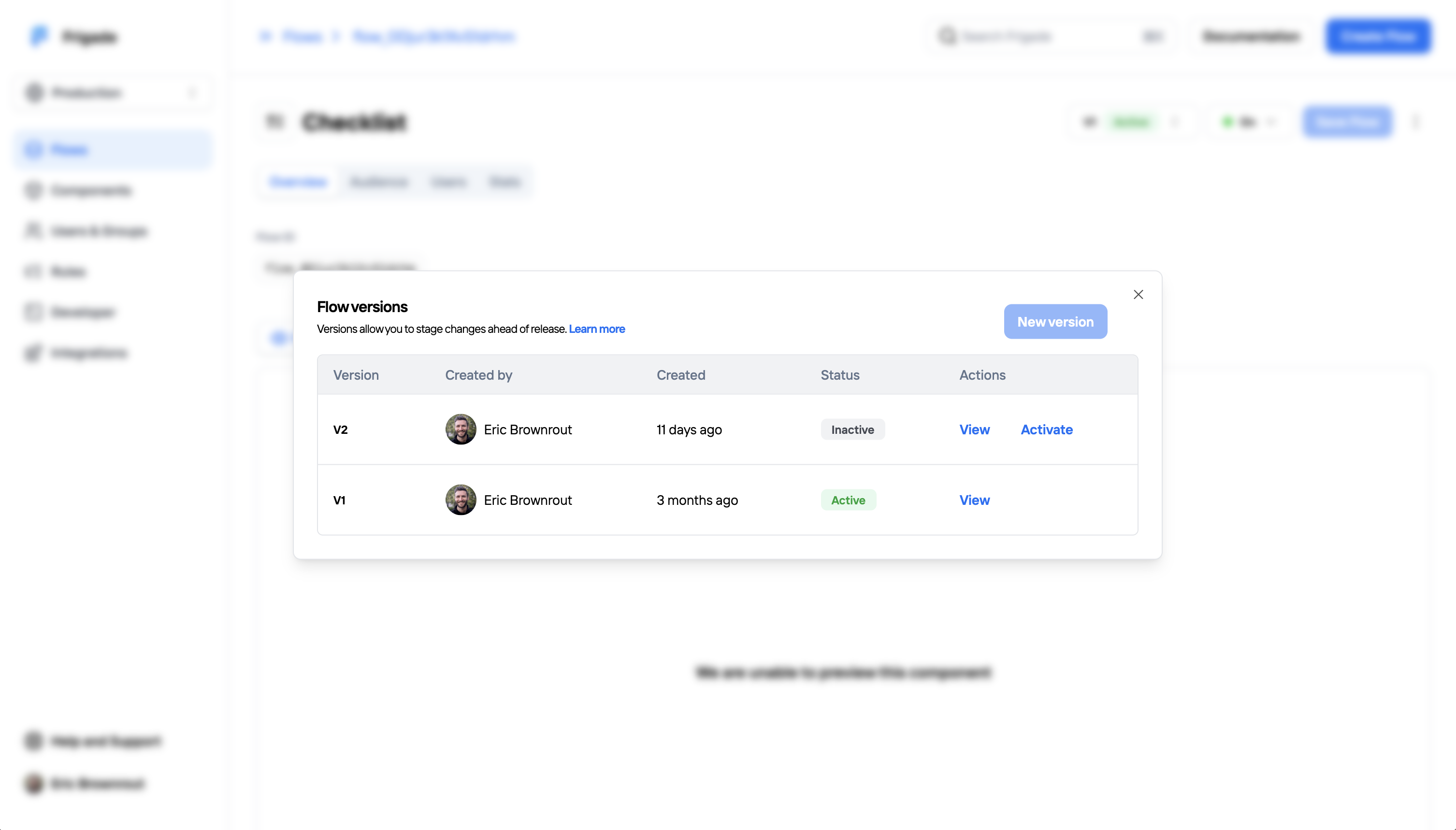
To create a new version of your Flow, open the versions panel on the Flow detail page. Then, click the **New version** button.
The new version will remain a draft until you activate it. Frigade supports one draft version at a time. Tap **View** on a version to view and make changes.
 ## Activating a draft version
***
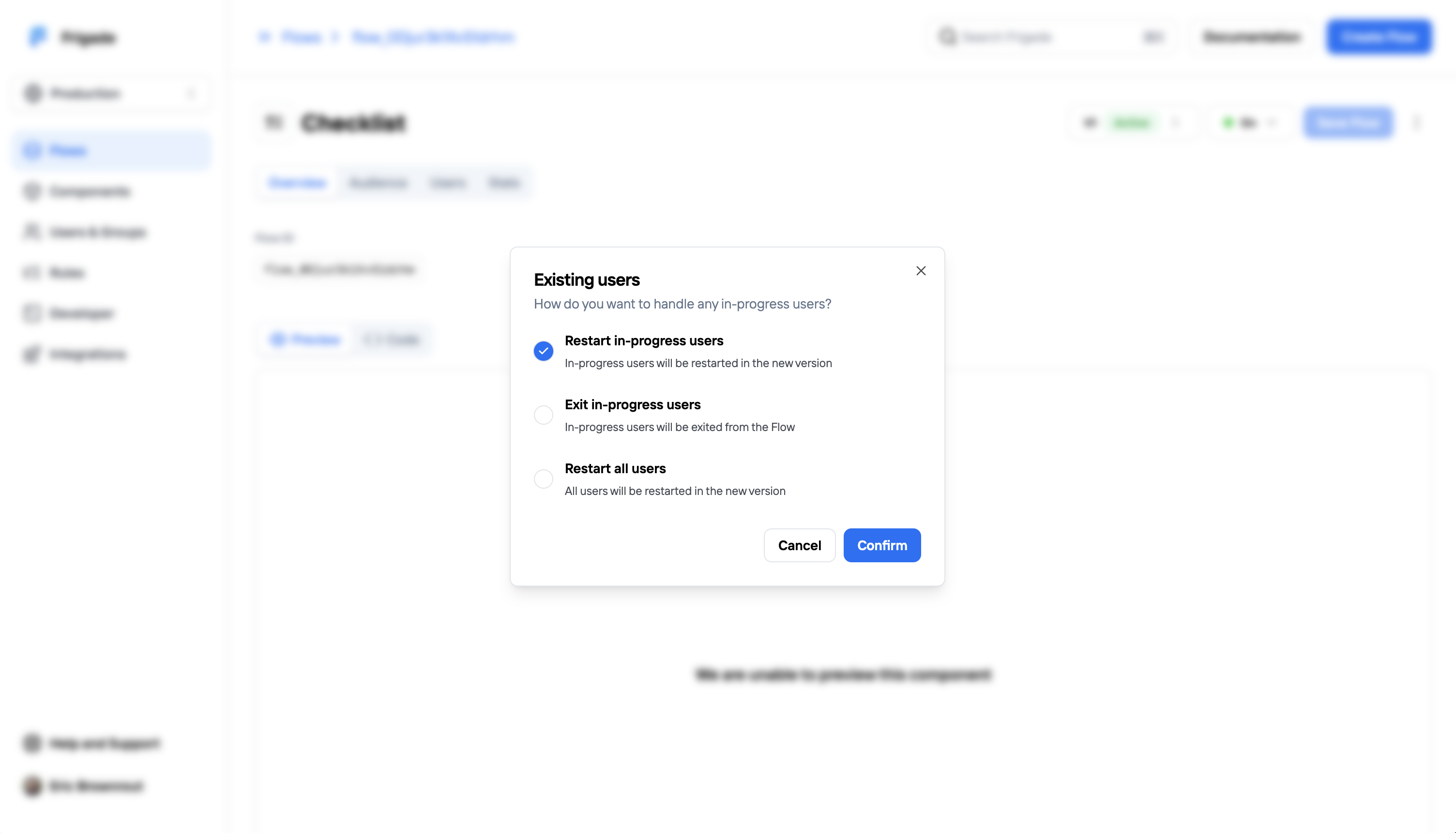
Once your draft version is ready to go live, click **Activate** to publish it. If there are existing users in your Flow, you will have a choice on how to transition users:
This option will restart all users currently in the Flow in the new version. Users who have already completed the Flow will not see the new version.
This option will exit all users currently in the Flow. Only new users who enter the Flow moving forward will see the new version.
This option will restart all users in the Flow in the new version regardless of their state. This means that users who have already completed the Flow will also see the new version, too.
## Activating a draft version
***
Once your draft version is ready to go live, click **Activate** to publish it. If there are existing users in your Flow, you will have a choice on how to transition users:
This option will restart all users currently in the Flow in the new version. Users who have already completed the Flow will not see the new version.
This option will exit all users currently in the Flow. Only new users who enter the Flow moving forward will see the new version.
This option will restart all users in the Flow in the new version regardless of their state. This means that users who have already completed the Flow will also see the new version, too.
 ## Old versions
***
Once a draft has been activated, old versions of the Flow become read-only. Analytics for old versions will be preserved and can be viewed by clicking the **View** button on an old version.
## Old versions
***
Once a draft has been activated, old versions of the Flow become read-only. Analytics for old versions will be preserved and can be viewed by clicking the **View** button on an old version.