> ## Documentation Index
> Fetch the complete documentation index at: https://engage-docs.frigade.com/llms.txt
> Use this file to discover all available pages before exploring further.
# Flows
## What are Flows?
***
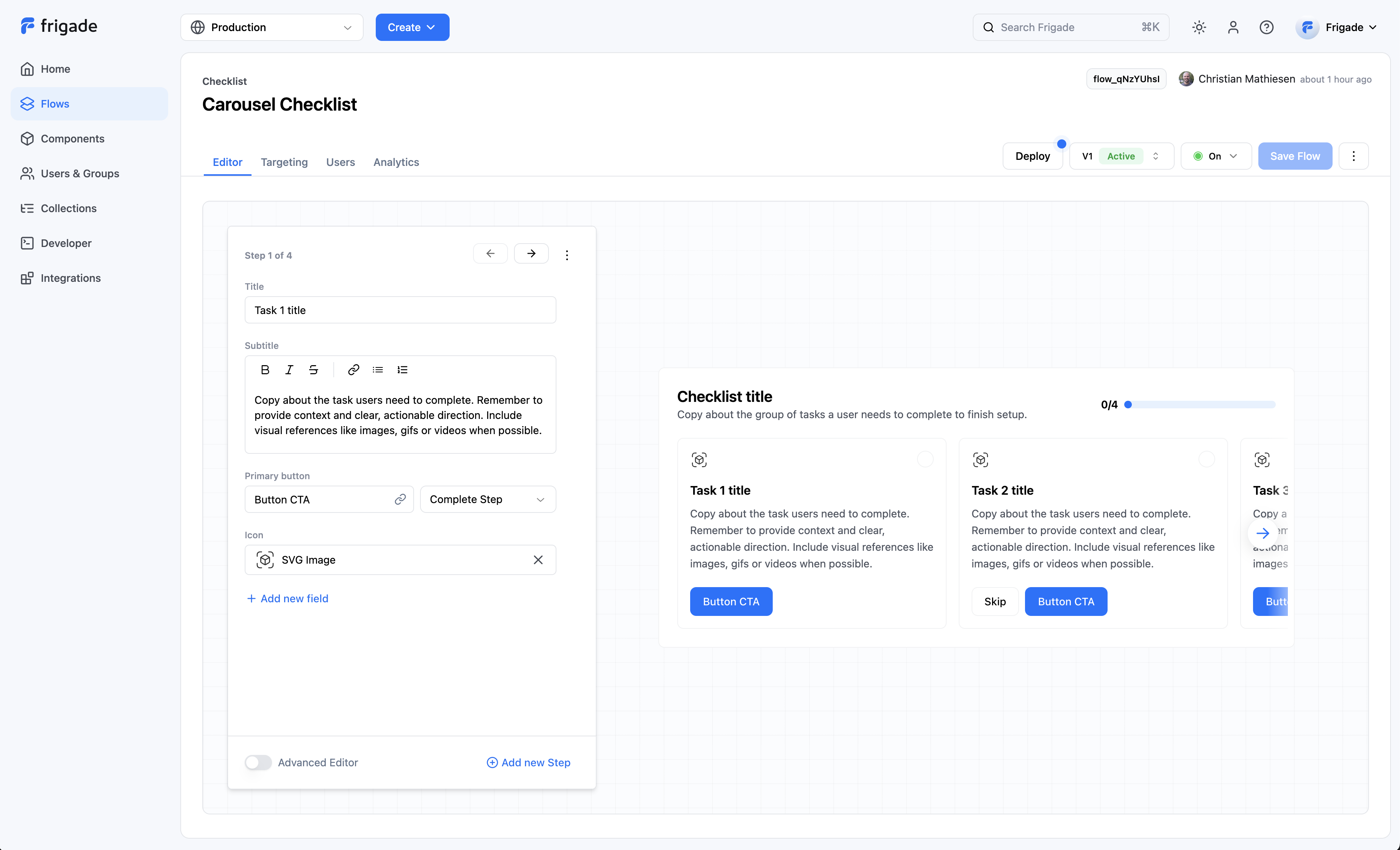
Flows are the main building blocks of Frigade. Flows are made up of one or more Steps that you want a user to take. A Flow can be a product tour, a checklist, a form, or any other onboarding experience you can imagine.
Flows comes with built-in content management, version control, and analytics to make it easier to build and collaborate on onboarding.
Users have their own state for each Flow (e.g. started, dismissed, completed), and it is automatically tracked by Frigade. Flows can also track Steps across groups of users, such as companies or teams.
 ## User Lifecycle
Users can have state in Flows and in the Steps within a Flow. The lifecycle of a user's state in a Flow is as follows:
1. **Not started**: The user has not seen or engaged with the Flow.
2. **Started**: The user has seen the Flow and may have completed or skipped one or more Steps.
3. **Completed** or **Dismissed**: The user has completed or dismissed the Flow.
Once a Flow is completed or dismissed, it will remain in this state for the user unless the Flow is restarted via the SDK, API, or the **Reset in Flow** button in the Frigade Dashboard. This is true even if the Flow has new Steps added or a Step's state is reset.
## Frequently Asked Questions
***
You can create a Flow by tapping **Create Flow** from the navigation bar or from a component in the [component library](https://app.frigade.com/components/).
Flows can be edited by clicking on the Flow name from the Flow overview page. From there, you can edit:
* Version
* Name and Description
* Content (e.g. copy, assets, images)
* Step logic (e.g. what actions mark a step complete)
* Step order (e.g. what order content should be shown in)
* User targeting logic (e.g. which users should see this Flow)
* Status (e.g. whether the Flow is active or not)
You can edit a Flow's underlying YAML code by clicking the **Advanced Editor** toggle on the Flow detail page.
The preview it will not reflect any custom styling you define in your own codebase.
When using a Frigade pre-built UI, you can simply preview the Flow from the Editor tab of the Flow detail page. To see your Flow in your product, you can view your Flow in your staging or production environment.
If you'd like, you can use targeting to only show it to teammates while building, and you can reset users in the **Users** tab to go through the Flow multiple times.
## User Lifecycle
Users can have state in Flows and in the Steps within a Flow. The lifecycle of a user's state in a Flow is as follows:
1. **Not started**: The user has not seen or engaged with the Flow.
2. **Started**: The user has seen the Flow and may have completed or skipped one or more Steps.
3. **Completed** or **Dismissed**: The user has completed or dismissed the Flow.
Once a Flow is completed or dismissed, it will remain in this state for the user unless the Flow is restarted via the SDK, API, or the **Reset in Flow** button in the Frigade Dashboard. This is true even if the Flow has new Steps added or a Step's state is reset.
## Frequently Asked Questions
***
You can create a Flow by tapping **Create Flow** from the navigation bar or from a component in the [component library](https://app.frigade.com/components/).
Flows can be edited by clicking on the Flow name from the Flow overview page. From there, you can edit:
* Version
* Name and Description
* Content (e.g. copy, assets, images)
* Step logic (e.g. what actions mark a step complete)
* Step order (e.g. what order content should be shown in)
* User targeting logic (e.g. which users should see this Flow)
* Status (e.g. whether the Flow is active or not)
You can edit a Flow's underlying YAML code by clicking the **Advanced Editor** toggle on the Flow detail page.
The preview it will not reflect any custom styling you define in your own codebase.
When using a Frigade pre-built UI, you can simply preview the Flow from the Editor tab of the Flow detail page. To see your Flow in your product, you can view your Flow in your staging or production environment.
If you'd like, you can use targeting to only show it to teammates while building, and you can reset users in the **Users** tab to go through the Flow multiple times.
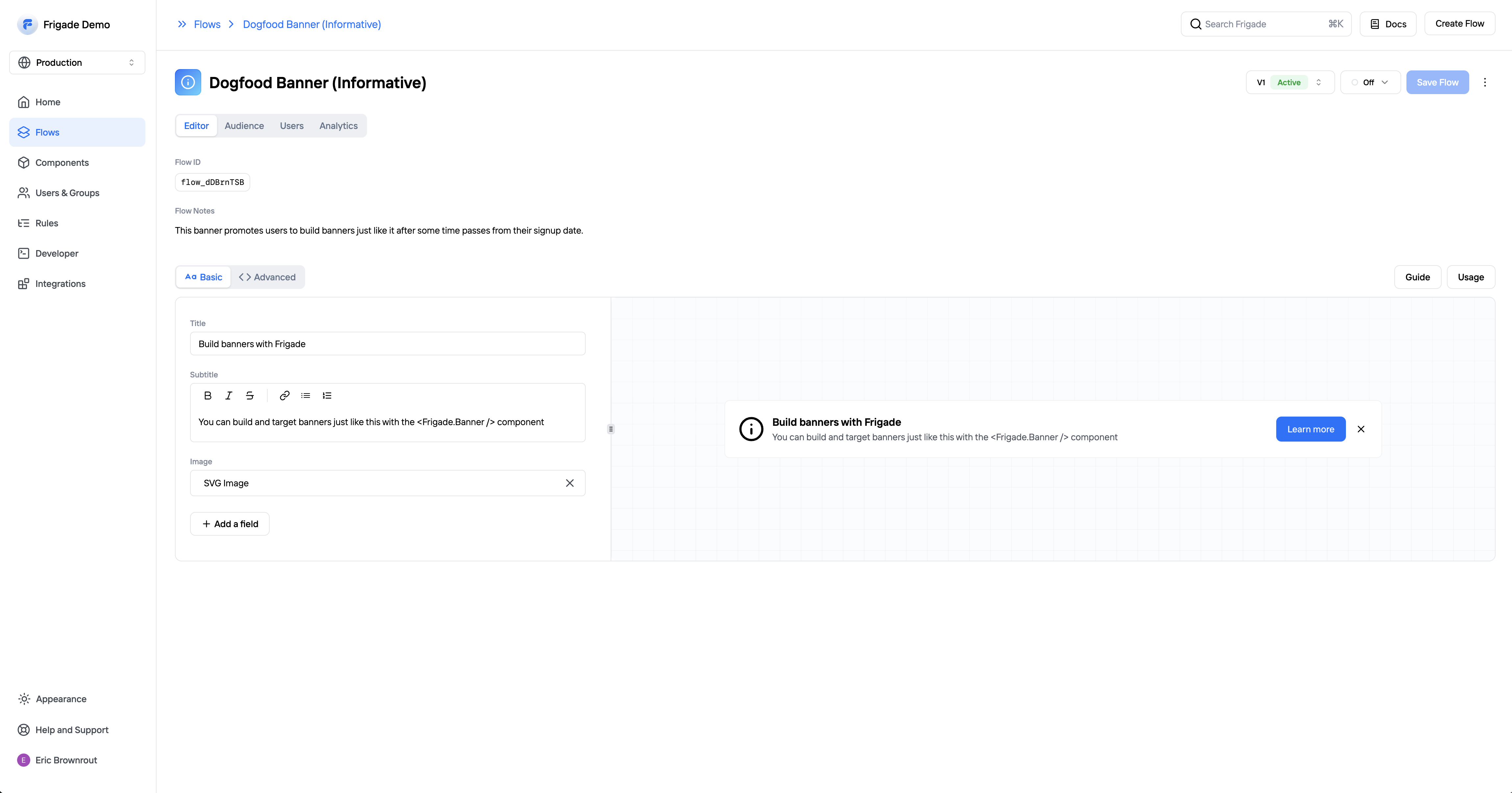 The preview it will not reflect any custom styling you define in your own codebase.
Frigade supports the following Flow types:
* [Checklist](/component/checklist/carousel)
* [Tour](/component/tour)
* [Form](/component/form)
* [Announcement](/component/announcement)
* [Banner](/component/banner)
* [Card](/component/inline-card)
You can also build [custom Flows](/guides/custom) using the Frigade SDK.
Yes. Sometimes you want any user in a group to complete a Step on behalf of all the other users in the group (e.g. add a credit card, install an SDK, etc.). This is supported in Frigade through [group properties](/sdk/hooks/group) and [completion criteria](/sdk/advanced/completing-a-step).
The preview it will not reflect any custom styling you define in your own codebase.
Frigade supports the following Flow types:
* [Checklist](/component/checklist/carousel)
* [Tour](/component/tour)
* [Form](/component/form)
* [Announcement](/component/announcement)
* [Banner](/component/banner)
* [Card](/component/inline-card)
You can also build [custom Flows](/guides/custom) using the Frigade SDK.
Yes. Sometimes you want any user in a group to complete a Step on behalf of all the other users in the group (e.g. add a credit card, install an SDK, etc.). This is supported in Frigade through [group properties](/sdk/hooks/group) and [completion criteria](/sdk/advanced/completing-a-step).