> ## Documentation Index
> Fetch the complete documentation index at: https://engage-docs.frigade.com/llms.txt
> Use this file to discover all available pages before exploring further.
# Environments
> Frigade supports development and production environments
## Changing environments
***
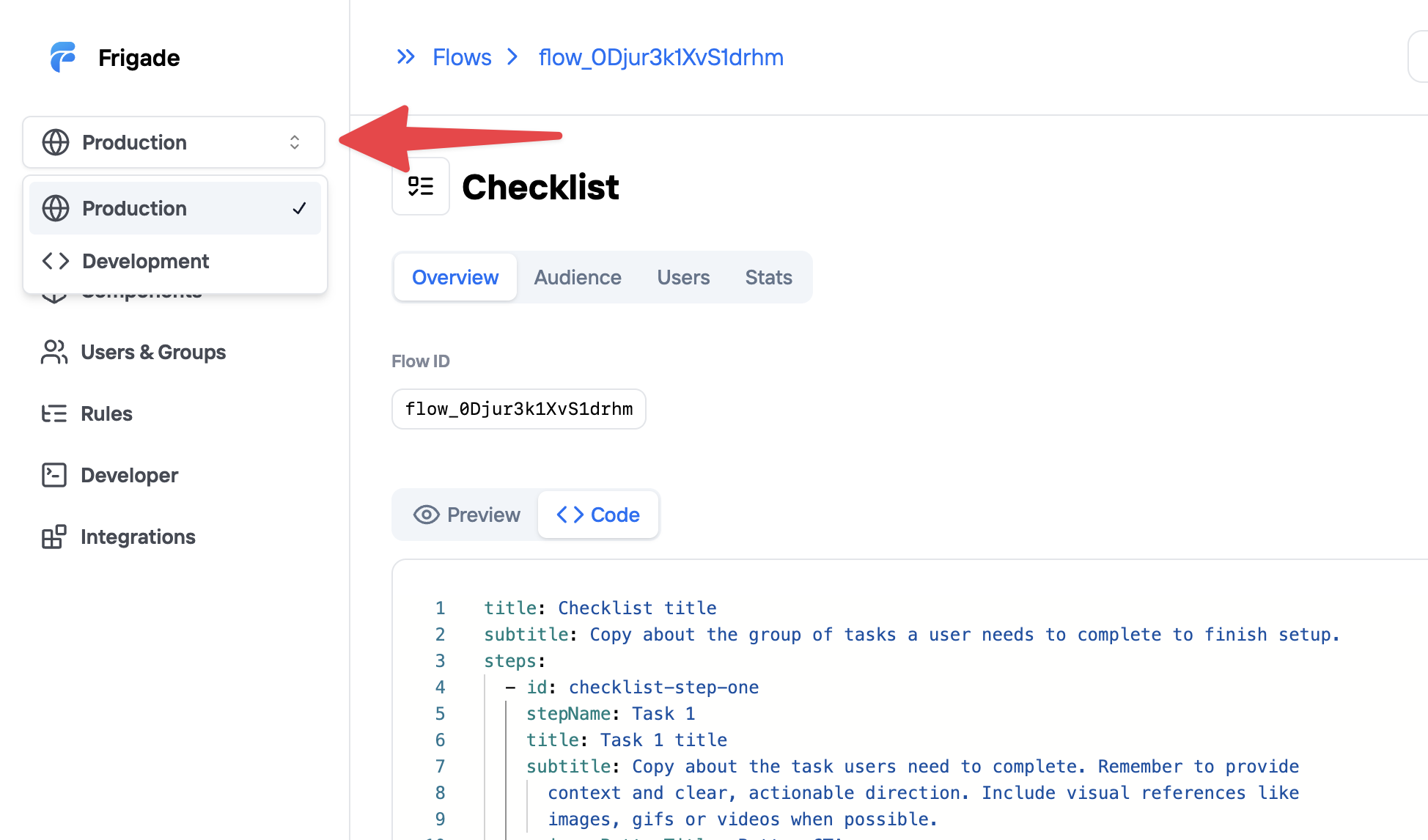
Frigade environments allow you to manage your Flows across **Development** and **Production**. You can access each environment from the dropdown in the top of the left sidebar.
 ## Manage Flow across environments
***
By default, Flow IDs are unique to each environment. However, if you want to use the same Flow ID across environments, you can use **Sync to Production** to link a Flow between Development and Production.
### Sync Flows to Production
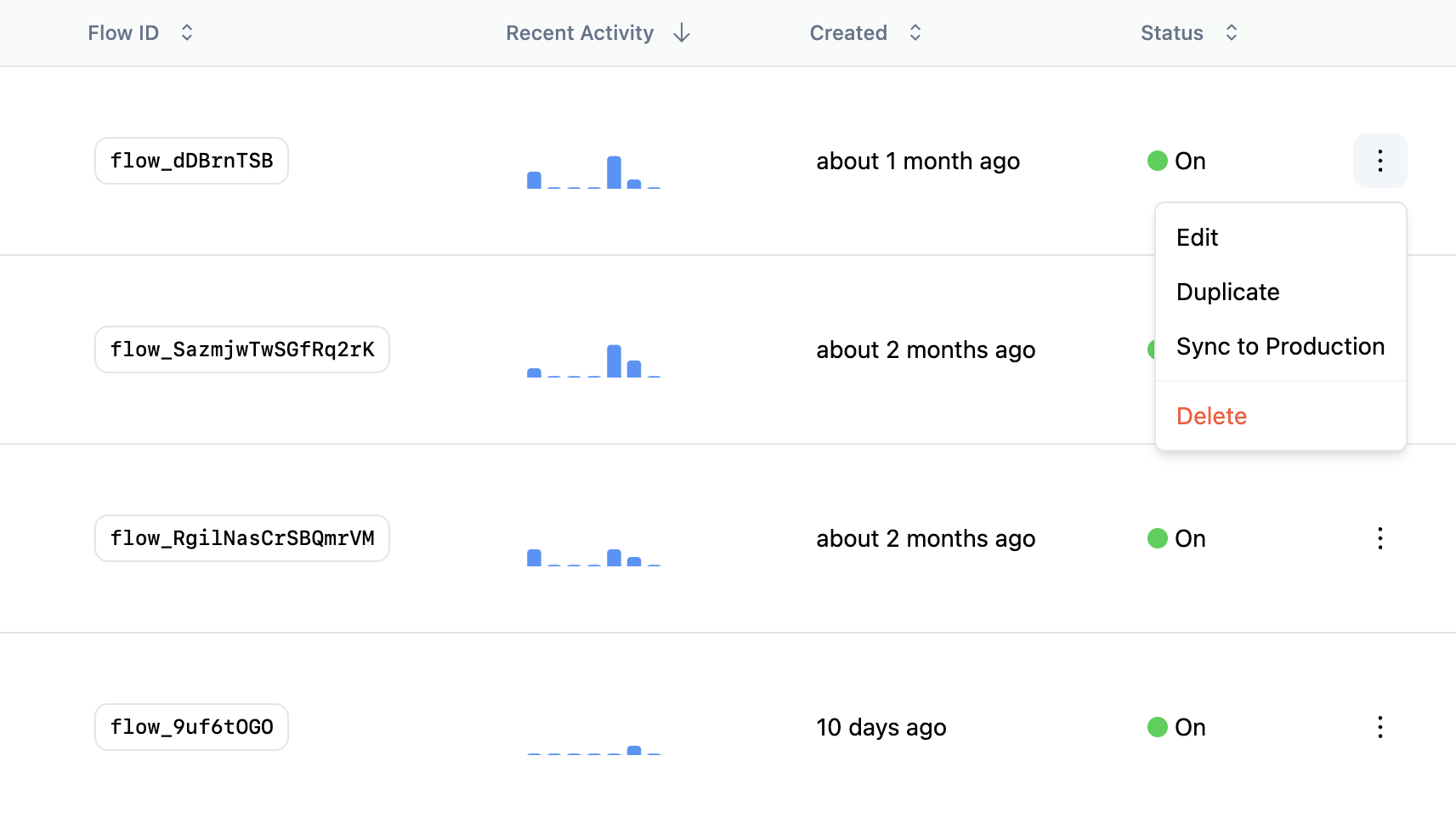
When you are ready to move a Flow from Development to Production, you can simply **Sync to Production** from the overflow menu on the Flows page. This will create a new Production Flow with the same ID, content, targeting, and properties.
If the Flow ID already exists in Production, then **Sync to Production** will give you the choice to overwrite the Flow or create a new draft version with your changes.
## Manage Flow across environments
***
By default, Flow IDs are unique to each environment. However, if you want to use the same Flow ID across environments, you can use **Sync to Production** to link a Flow between Development and Production.
### Sync Flows to Production
When you are ready to move a Flow from Development to Production, you can simply **Sync to Production** from the overflow menu on the Flows page. This will create a new Production Flow with the same ID, content, targeting, and properties.
If the Flow ID already exists in Production, then **Sync to Production** will give you the choice to overwrite the Flow or create a new draft version with your changes.