> ## Documentation Index
> Fetch the complete documentation index at: https://engage-docs.frigade.com/llms.txt
> Use this file to discover all available pages before exploring further.
# Heap
Frigade supports bidirectional reads and writes from Heap. This guide shows you how to get started in a few minutes.
## Sending Frigade data to Heap
The following steps will help you send data from Frigade to Heap. For instance, when a user completes a Survey or a step in a Checklist, Frigade can send this data to Heap.
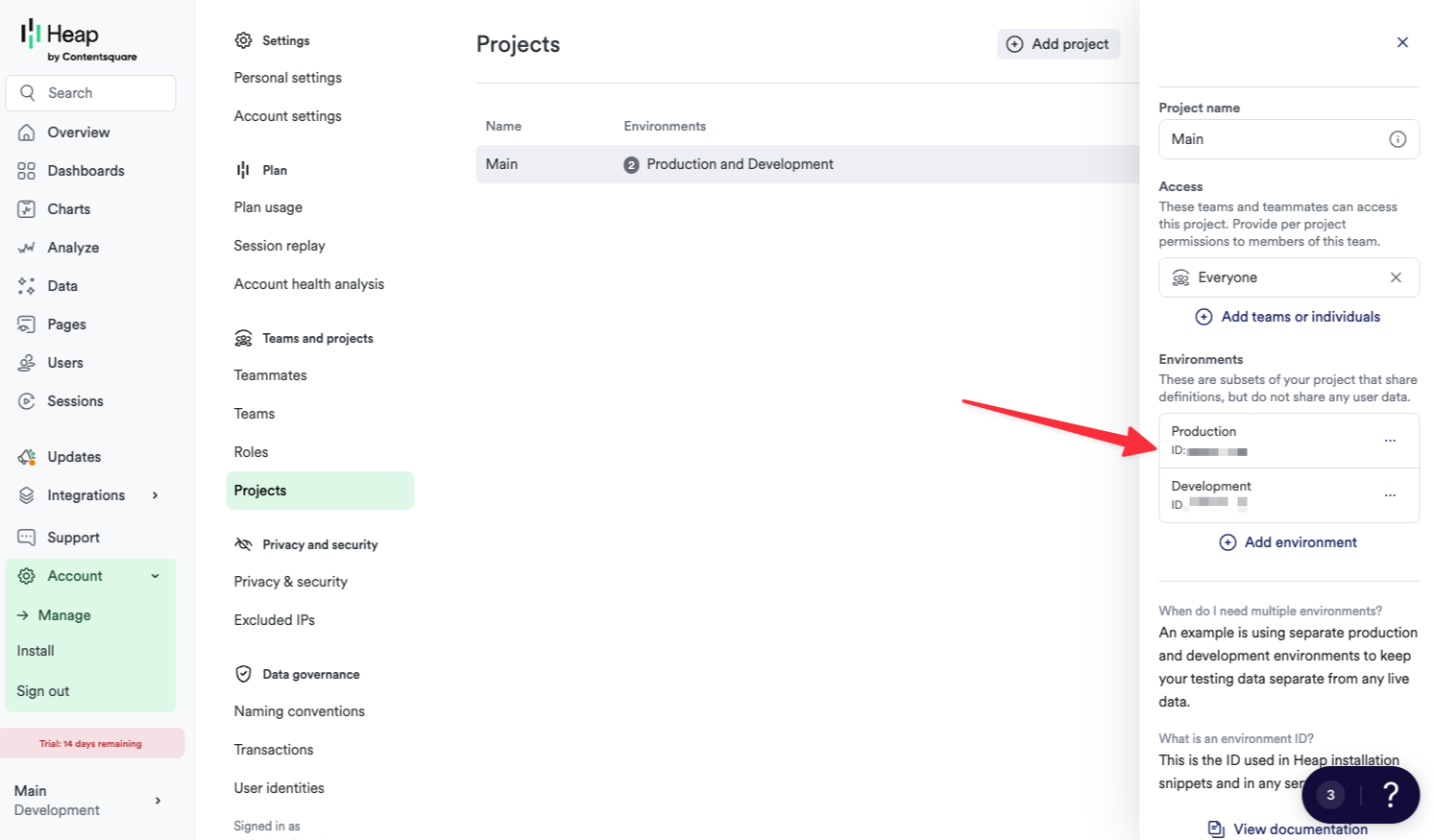
From the Heap dashboard, navigate to **Settings** and open **Projects**.
Click the appropriate project and environment and copy the numeric **Environment ID**.
 Next, go to your Frigade dashboard and select **Integrations**. Click **Add Integration** and select **Heap**.
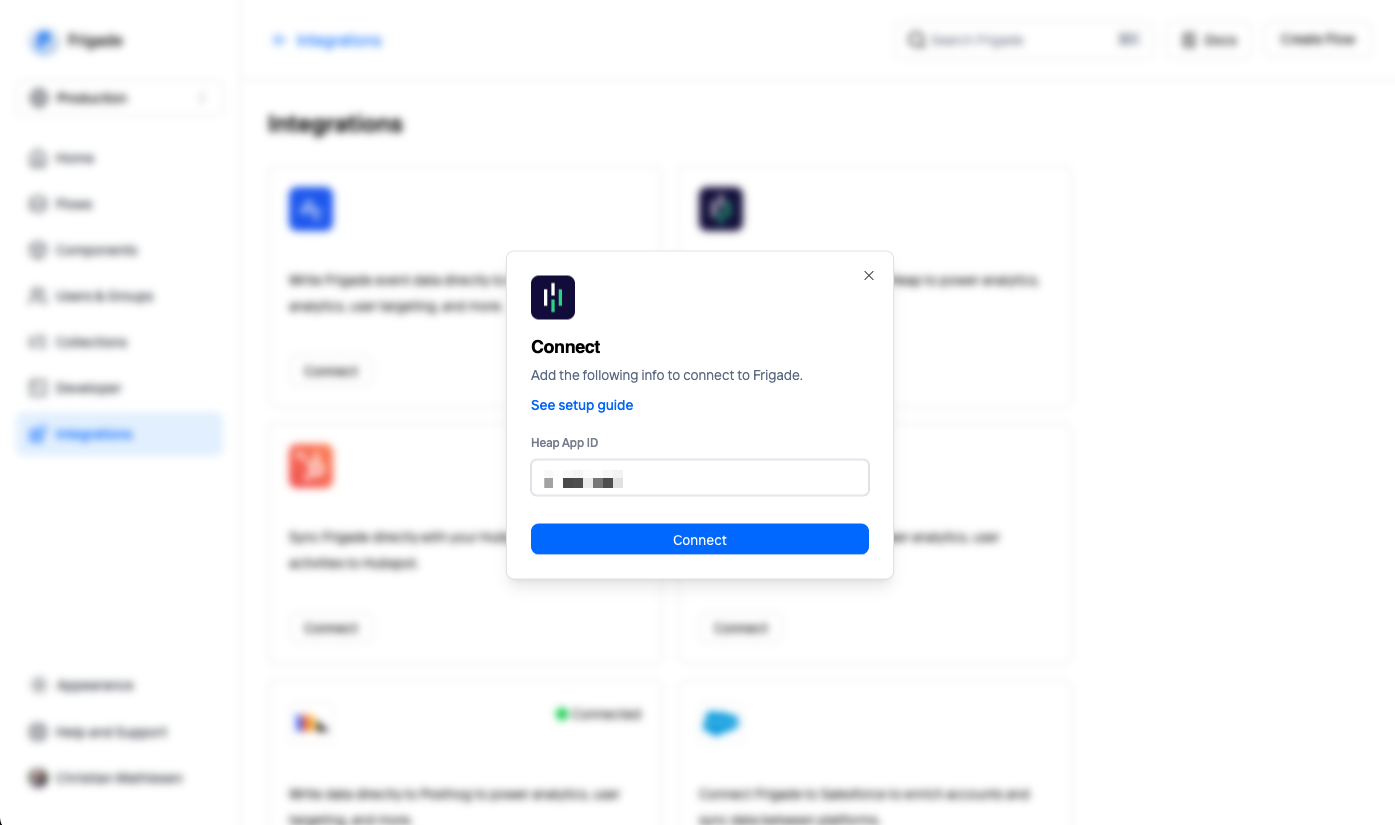 You will be asked to enter your Heap Environment ID. Click **Connect** to save and activate the integration. Shortly after, events will start streaming from Frigade in real-time.
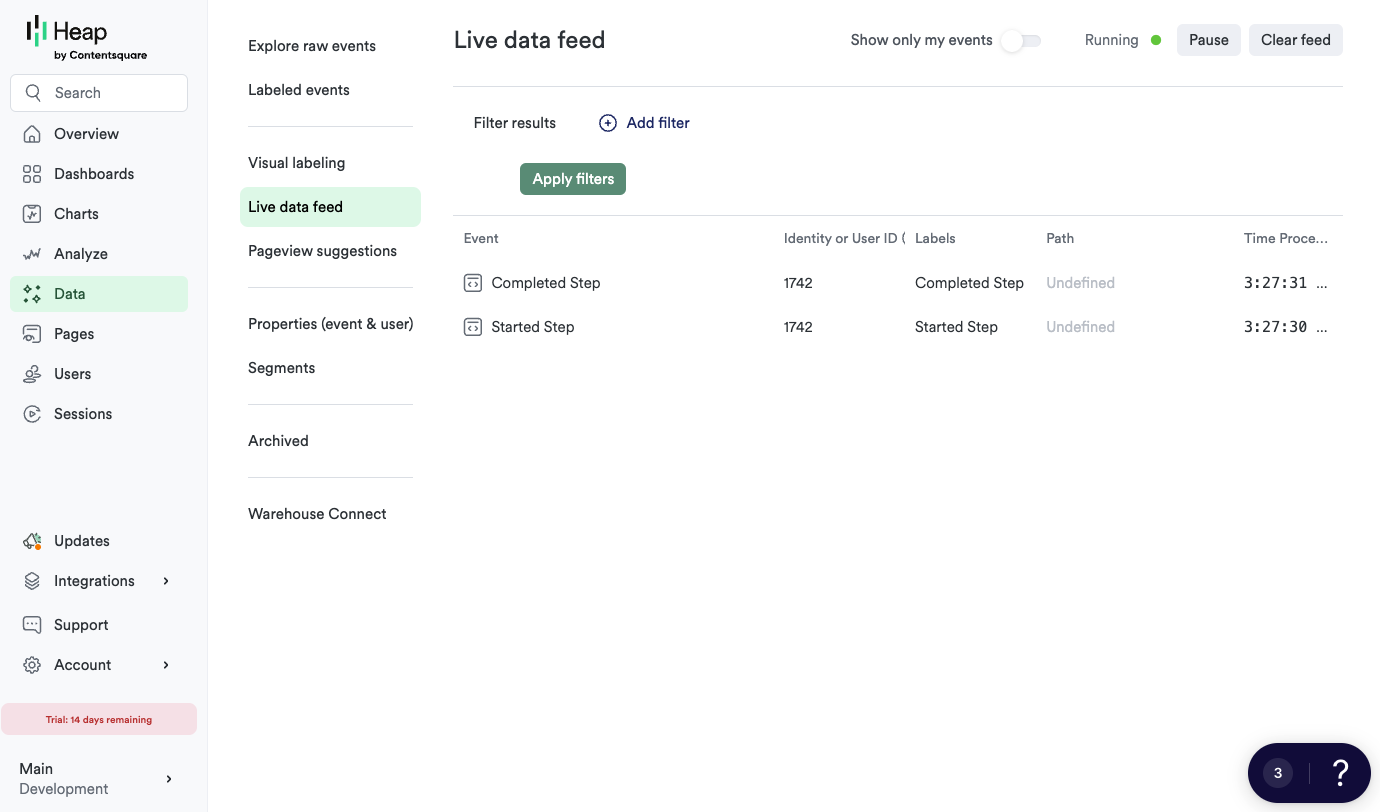
You should now see events from Frigade in your Heap dashboard. You can test the integration by completing a Flow and checking the **Live data feed** page in Heap:
You will be asked to enter your Heap Environment ID. Click **Connect** to save and activate the integration. Shortly after, events will start streaming from Frigade in real-time.
You should now see events from Frigade in your Heap dashboard. You can test the integration by completing a Flow and checking the **Live data feed** page in Heap:
 ## Sending Heap segments to Frigade
This feature is in early preview. Reach out to get early access.
## Sending Heap segments to Frigade
This feature is in early preview. Reach out to get early access.